No fees on your sales
No listing fees, no percentage, no monthly plan. Just the normal network fee when coins move.
OpenBazaar is a free app for selling from your own storefront and buying straight from independent sellers. Pay with Bitcoin, and with escrow your payment is held until the order arrives.
Early test version. It runs on test coins with no value, so nothing bought or sold is real yet. What that means
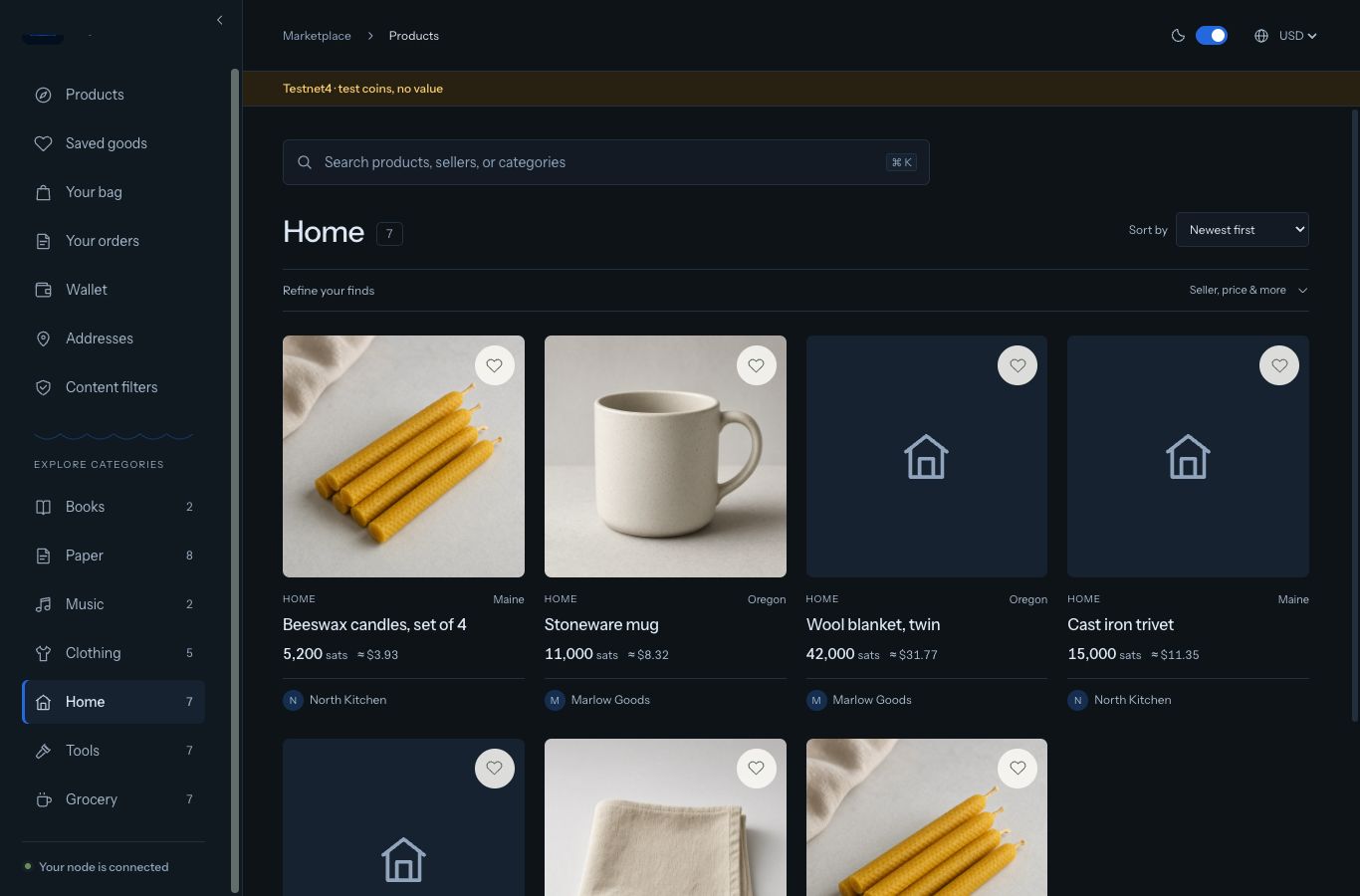
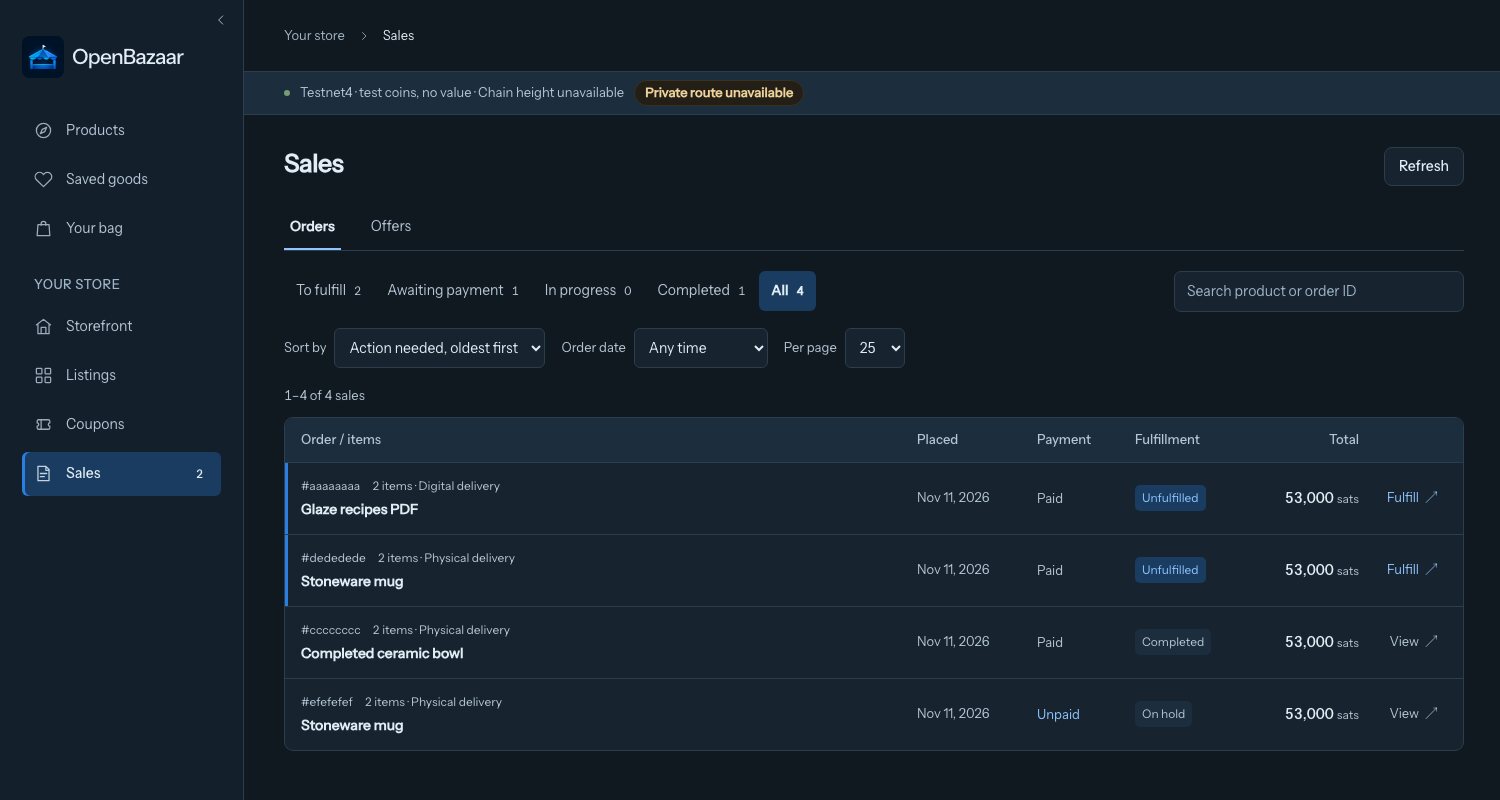
For sellers
Big marketplaces take a cut of every sale, can hold your payouts, and can close your shop after a policy change. Here there’s no company account and nobody taking a percentage.
No listing fees, no percentage, no monthly plan. Just the normal network fee when coins move.
Your shop belongs to recovery words only you hold, so there’s no review team that can freeze it overnight.
Buyers pay into the wallet built into your app. No platform balance, no payout schedule, no reserve.
Your name, logo, banner and policies, without building or hosting a website.
For buyers
You buy straight from the seller, and the whole price goes to them. Your protection comes from how the payment works, not from a company deciding to take your side.
Check out with your address. It’s sealed so only that seller can read it, and no platform keeps your history.
Pay with Bitcoin and choose escrow. The payment is locked, so neither side can take it.
The seller ships and adds the carrier and tracking number to your order.
Confirm it arrived to pay the seller. Then leave a review, which only buyers can write.
The moderator can’t take the money, change the amounts or pay anyone else, and their fee is set in advance. Escrow works on the test network today and stays off for real bitcoin until it has had an outside review. Paying a seller directly is quicker, but has none of this protection.
Ways to pay
Sellers can show prices in dollars, euros, pounds or yen. That’s the price tag. The buyer pays the matching amount in a coin the shop accepts, worked out when the order is placed. Wallet balances can show the same currencies beside Bitcoin, Lightning and Monero, labelled “at mainnet price · test coins, no value”.
Only Bitcoin payments can use escrow. With any other coin you pay the seller directly, without that protection. There’s no card, PayPal or bank transfer. These are test coins only.
Pay from the wallet built into the app or from any Bitcoin wallet. It’s the only coin that can use escrow. The first scan can take a while.
A privacy-focused coin. Shops can switch it on, and buyers pay the order’s QR code from any Zcash wallet. The app can receive it. Spending it from the app isn’t in yet.
A privacy-focused coin, on in the desktop app and the home node. The app connects through Tor on its own, so you don’t set up a Monero server or install Tor. There’s no escrow, and the first sync can take a while.
On in the desktop app and the home node. It uses Mutinynet, a test network separate from this app’s Bitcoin. There’s no escrow. The app opens a channel when someone pays.
What you’d want to know before you install anything.
No. This is an early test version (alpha 4) that runs on test networks, where coins are free and worth nothing. Set up a shop, place test orders and tell us what’s missing, but don’t send it real money. The apps aren’t signed yet.
Very few people so far: three demo shops so you can try a whole order, plus shops opened by other early testers. Open one now and you’re among the first, and what you ask for shapes what gets built.
Buyers browse and search the marketplace inside the app, and can follow a shop directly. There are no ads or promoted listings, so early on your best customers are the ones you bring.
Your shop takes orders while the app is running. To stay open around the clock, run the home version on a spare always-on computer and manage it from your laptop or Android phone.
Yes. Buyers and sellers can write to each other inside an order. The seller can also add a note when they mark an order shipped.
Your shop and wallet come from a set of recovery words, not a company account. Write them down and keep them safe. Nobody can reset them for you.
There’s an Android app for managing a shop that runs on a home computer, installed from the file below rather than Google Play. There’s no iPhone app yet.
Version 0.1.0 alpha 4
One app does everything, with no sign-up. Open it and your shop is open, quit and it closes. The app connects through Tor on its own; you don’t install Tor.
Your computer will warn you the first time These test builds aren’t signed yet. On macOS, open the app once, then go to System Settings → Privacy & Security and choose “Open Anyway” (on older macOS, right-click the app and choose Open). On Windows, choose “More info”, then “Run anyway”. On Linux, make the AppImage executable with chmod +x first.
Apple silicon and Intel
Download for Mac 79 MBor the zipped app
64-bit Windows
Download for Windows 29 MBInstaller, see the warning note above
x86_64
Download AppImage 122 MBor the .deb for Debian and Ubuntu
Run the home version on a spare always-on computer. It connects through Tor on its own too, and Monero and Lightning are on, same as the desktop app. Each download includes a setup guide, home-node.md.
Docker: ghcr.io/openbazaar/ob-node:0.1.0-alpha.4
Manage a shop that runs on your home computer. Installed from the file, so your phone will ask you to allow it.
Every file comes from the official release. Check yours against SHA256SUMS, or read the full release notes.
OpenBazaar is open source under the MIT license. The design paper explains how payments, escrow and privacy work, including the limits.